Free for iPhone & iPad

Tune with a tuna.
Sing in tune, play in time.

A free, offline guitar tuner, vocal Pitch Trace, and metronome for iPhone and iPad. No accounts, no ads, and no tracking.

Download on the App Store
Free forever Works offline Data Not Collected Apache-2.0 open source
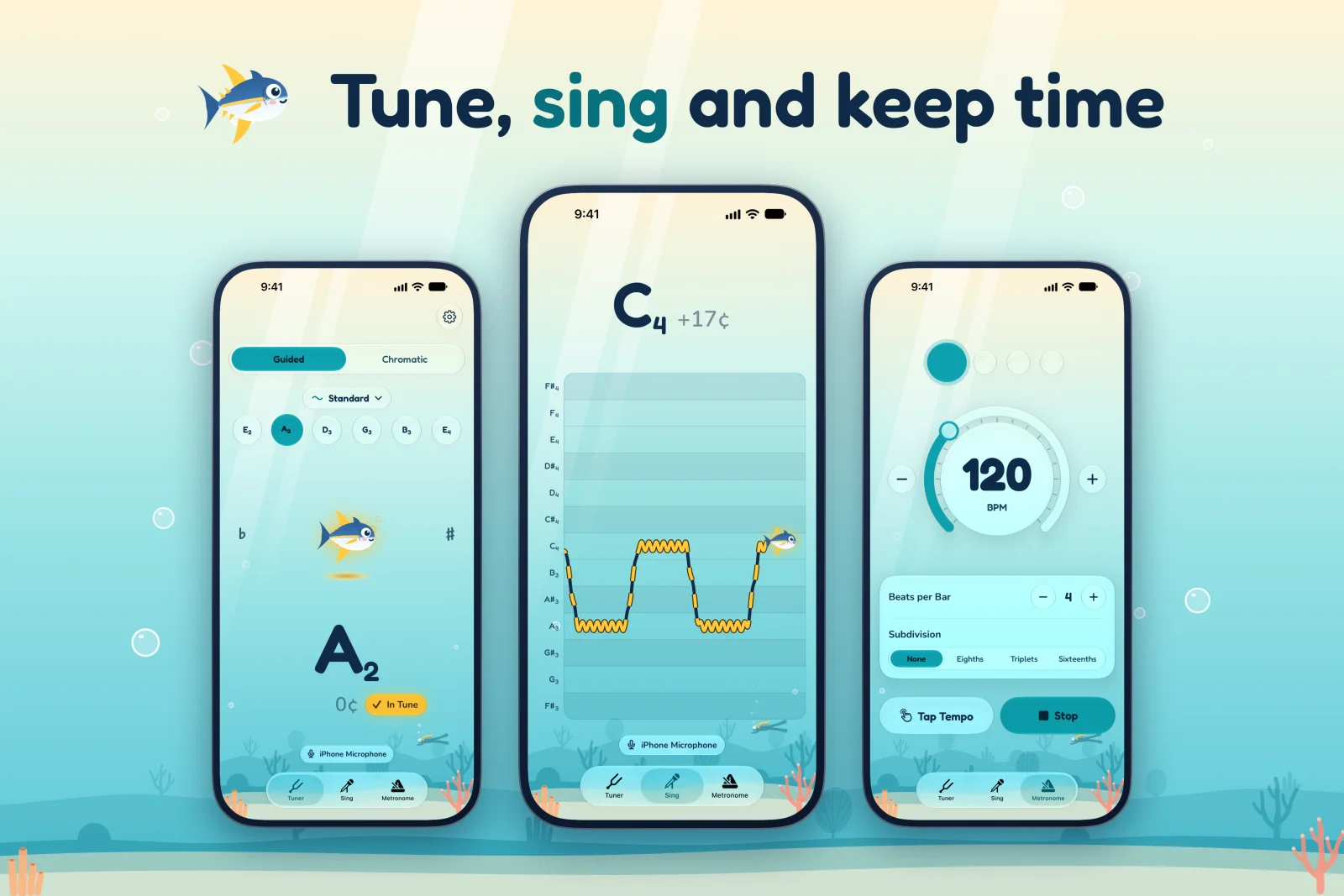
Three iPhones showing Tuna's Tuner tab with the tuna glowing gold In Tune on A2, the Sing tab Pitch Trace on C4, and the Metronome tab at 120 BPM

Three tools, one calm screen

Everything you reach for when you pick up your guitar

Built from scratch with its own pitch detection and zero third-party audio code, so it opens fast and stays out of your way.

Tuner

Follow the tuna until it glows gold

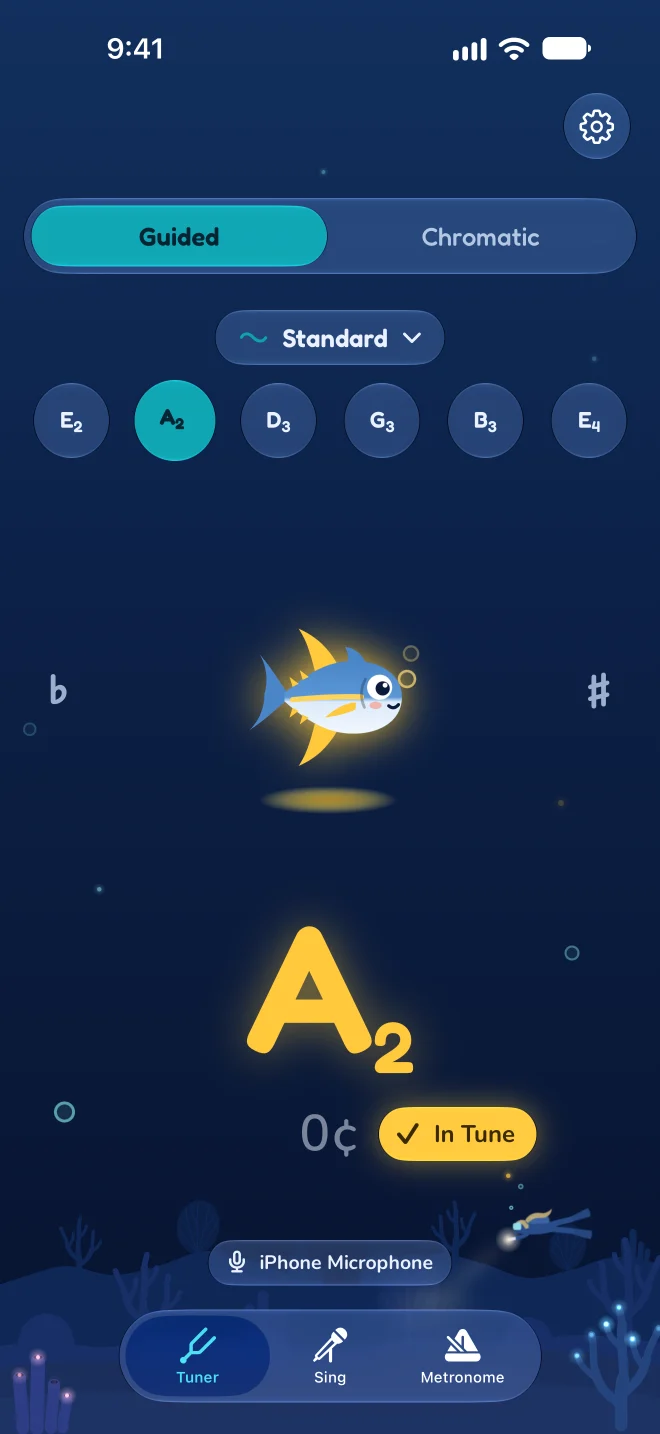
On the Needle Meter, the tuna swims toward sharp or flat, further the further off you are, and glows Yellowfin gold with a light haptic tap on iPhone once you are within 2 cents.

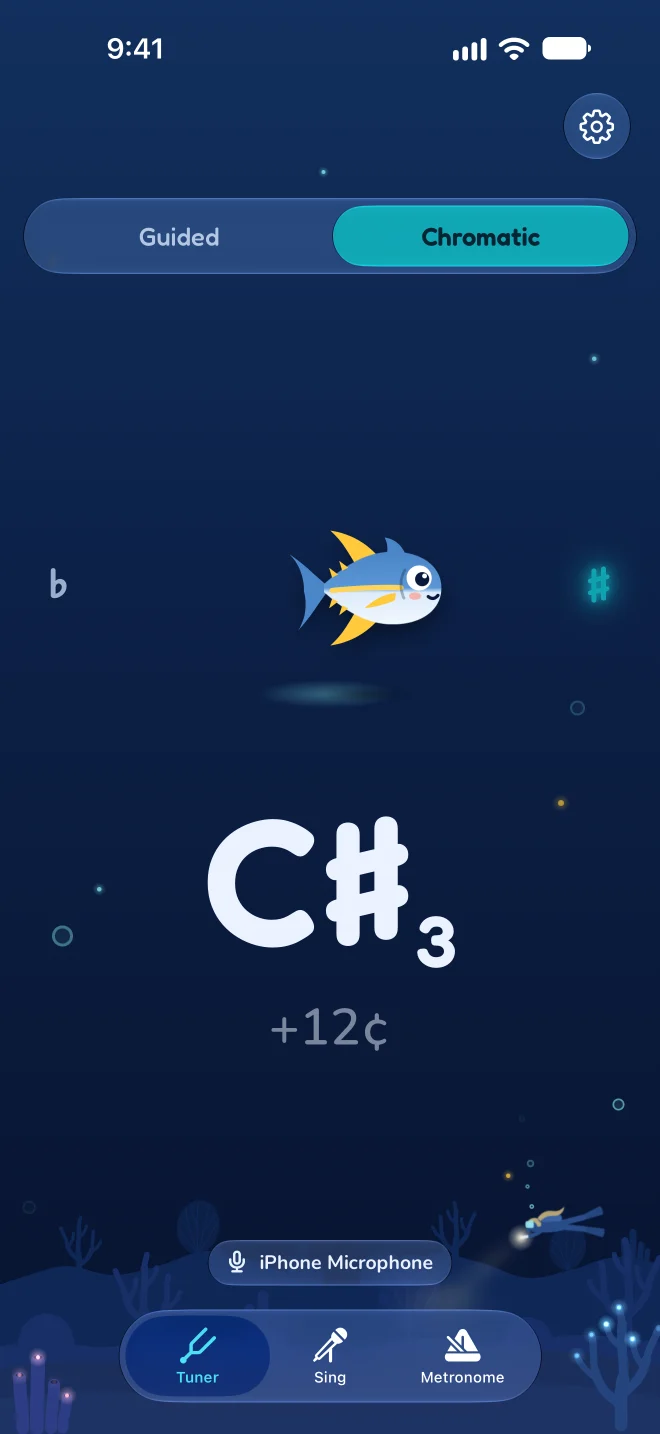
  • Guided Mode and Chromatic Mode: Guided Mode works out which string you are playing in your Tuning, or switch to Chromatic Mode to name the nearest note to anything.
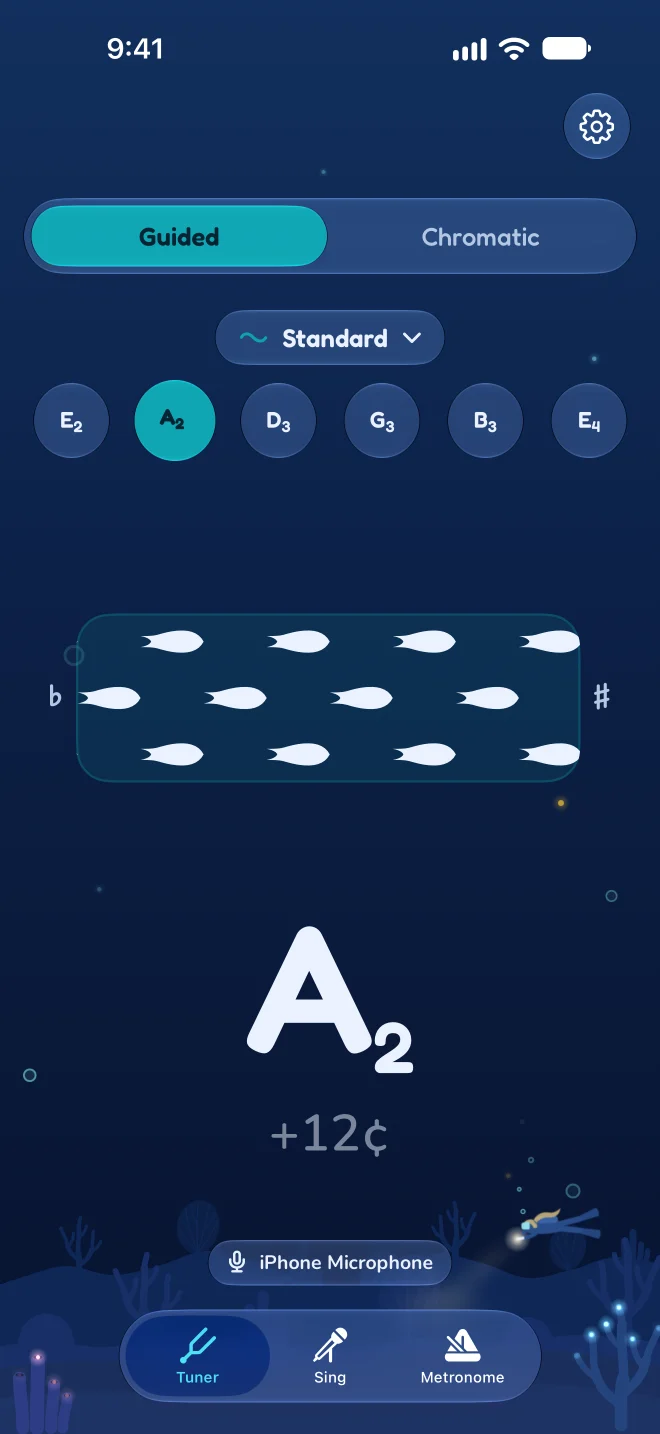
  • Strobe Display: Switch to a school of fish that drifts toward sharp or flat and stands still when the pitch is exact.
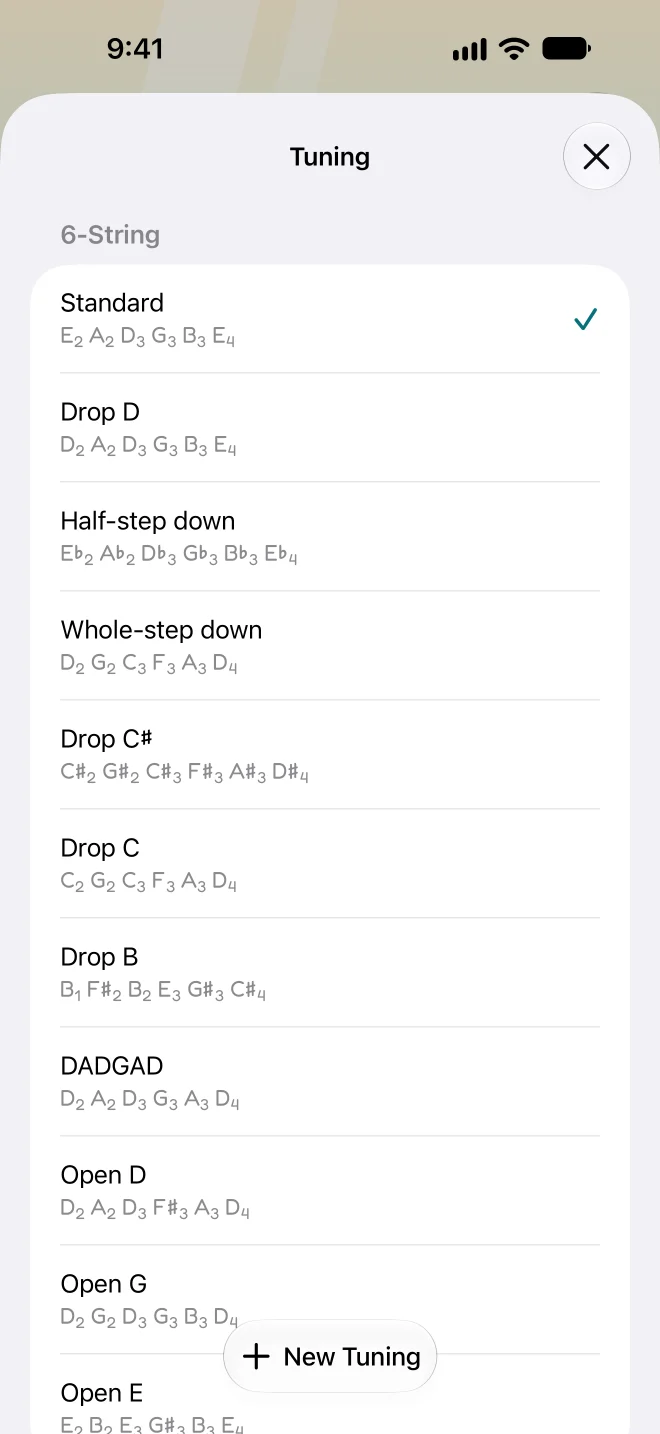
  • 6- and 7-string Tunings: 14 Built-in Tunings from Standard and Drop D to DADGAD and Open G, plus Custom Tunings of your own.
  • Reference Pitch and Active Input: Set A4 anywhere from 430 to 450 Hz and tune with the built-in microphone or a plugged-in audio interface.
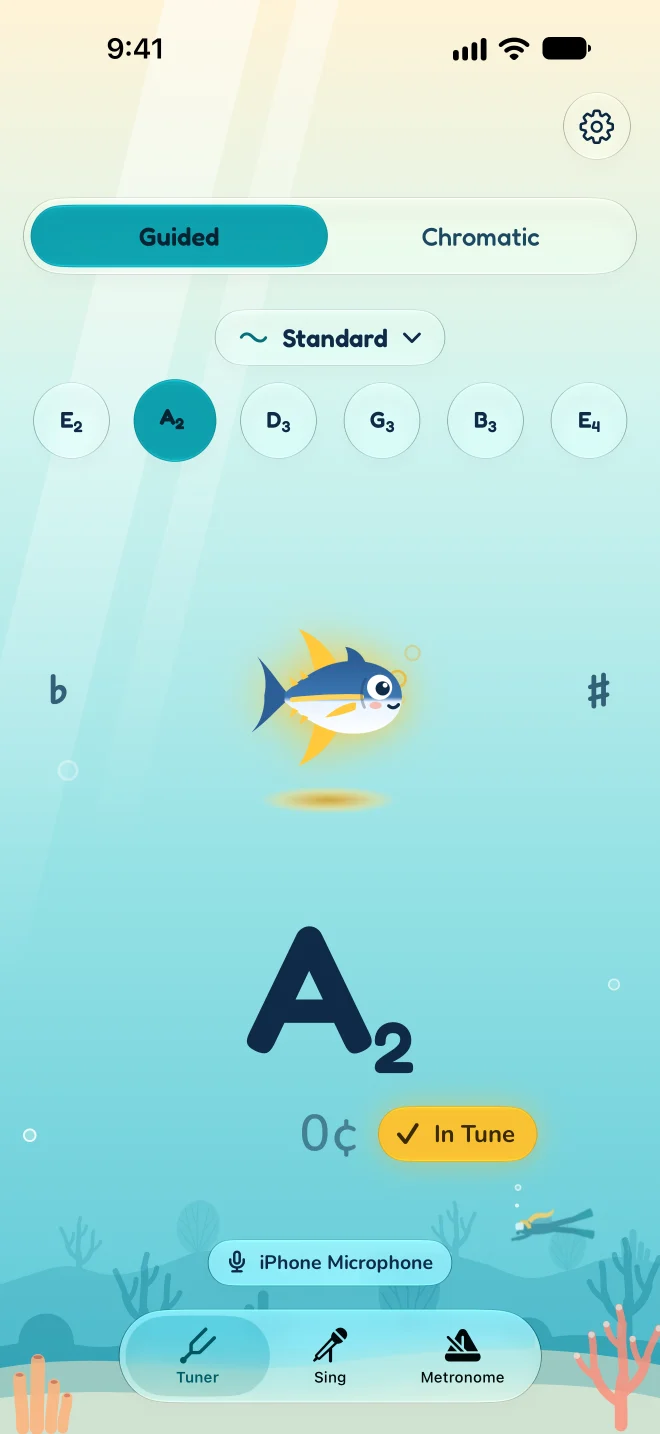
Tuna Tuner tab in Guided Mode showing A2 In Tune with a glowing gold tuna Tuna Tuner tab in Night Dive showing A2 In Tune with a glowing gold tuna
Tuna Tuning picker listing Built-in Tunings for 6- and 7-string guitars Tuna Strobe Display in Night Dive showing a school of fish drifting toward sharp
Sing

See your voice land on the note

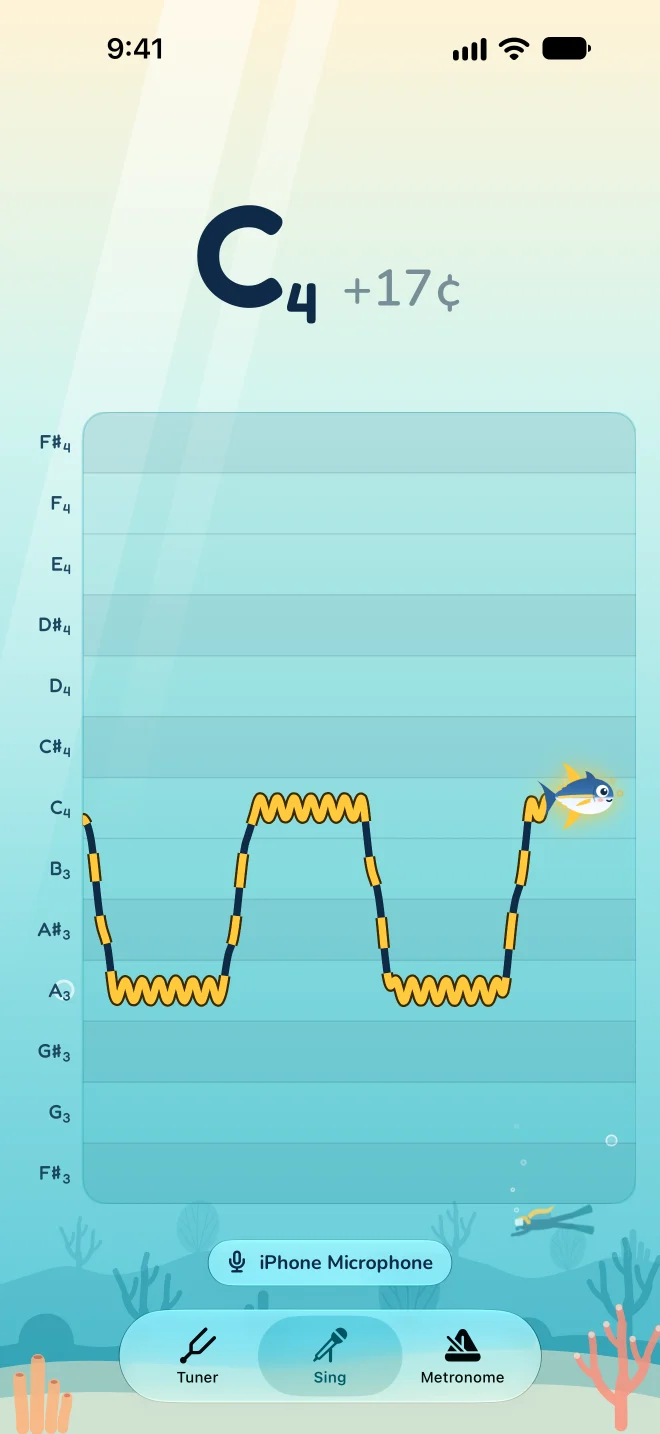
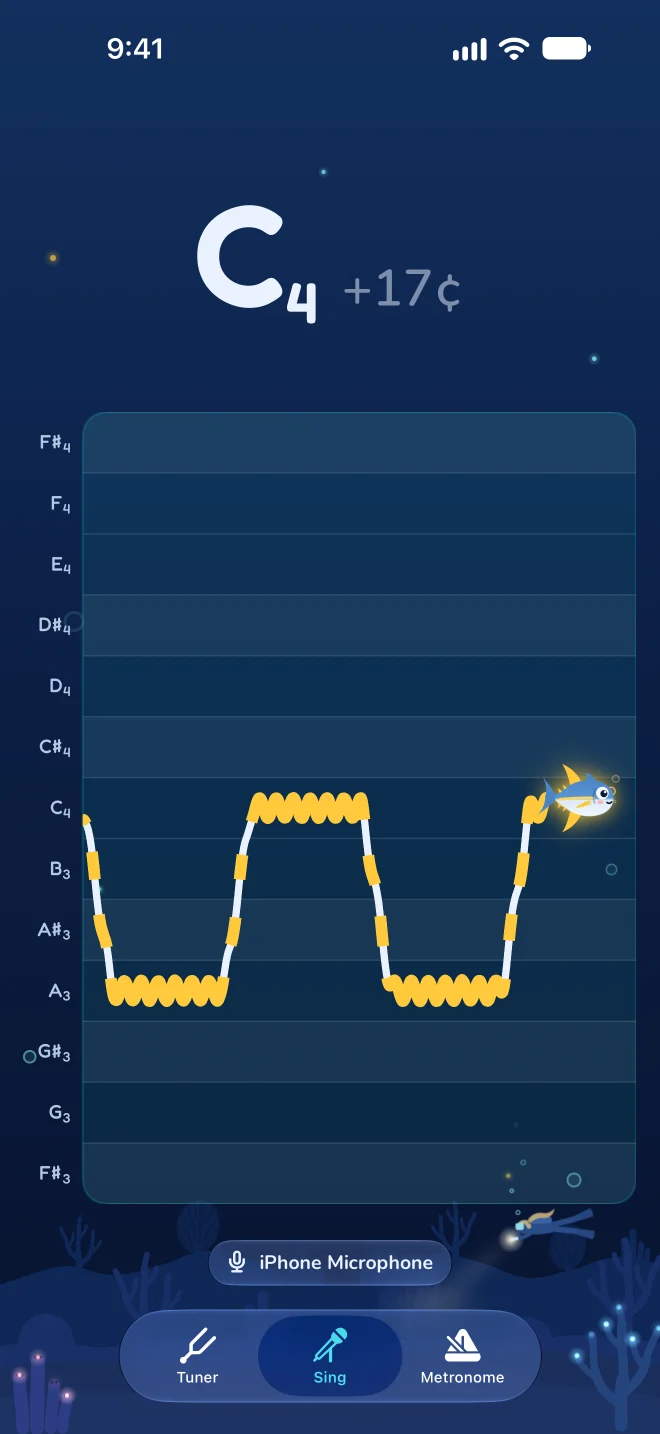
Play a note on your guitar, watch it land in its lane, then sing it. The Pitch Trace draws the last 5 seconds of your voice so you can spot slides, wobble, or sag at a glance.

  • 5-second Pitch Trace: Every semitone gets its own lane, showing exactly how you approached and held each note.
  • Instant gold feedback: The trace turns gold wherever your voice is within 25 cents of the note.
  • Guitar to voice workflow: Reference a string on your guitar and match it with your voice on the same screen.
Tuna Sing tab showing a 5-second Pitch Trace sliding between A3 and C4 in gold Tuna Sing tab in Night Dive showing a glowing gold Pitch Trace holding C4
Metronome

Keep time, even with the screen locked

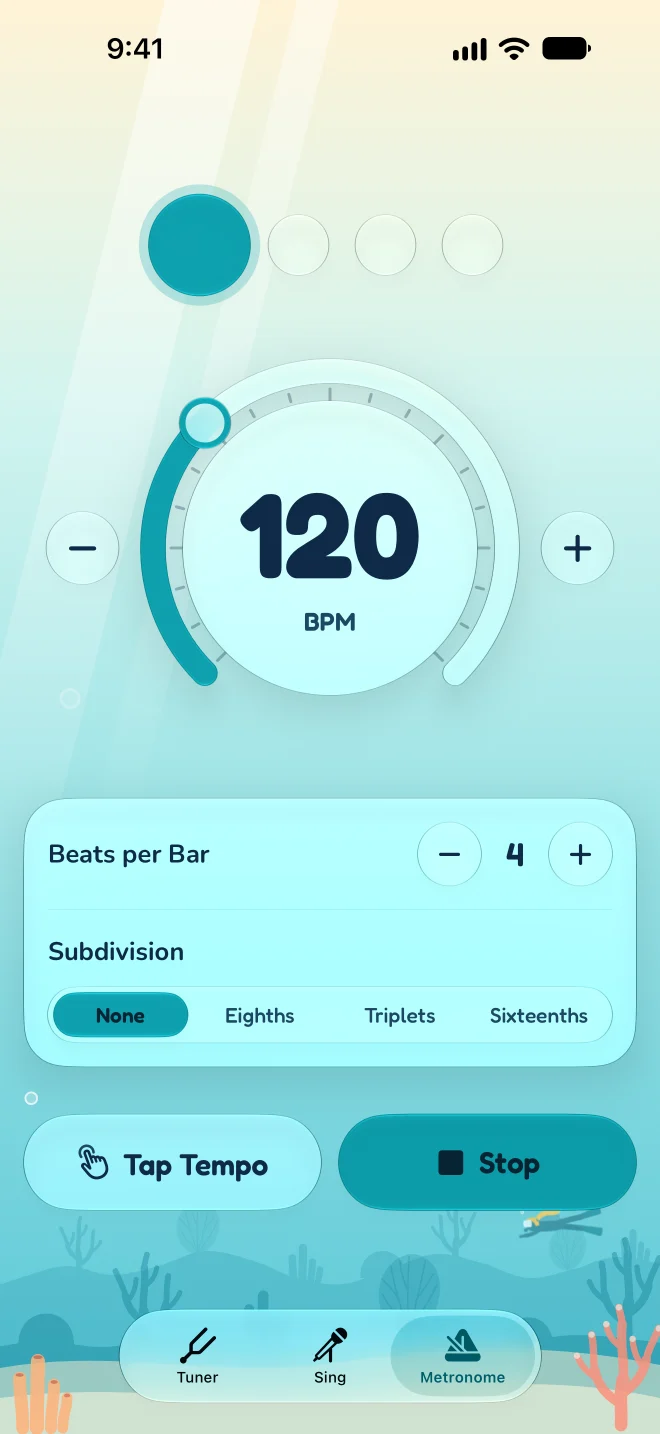
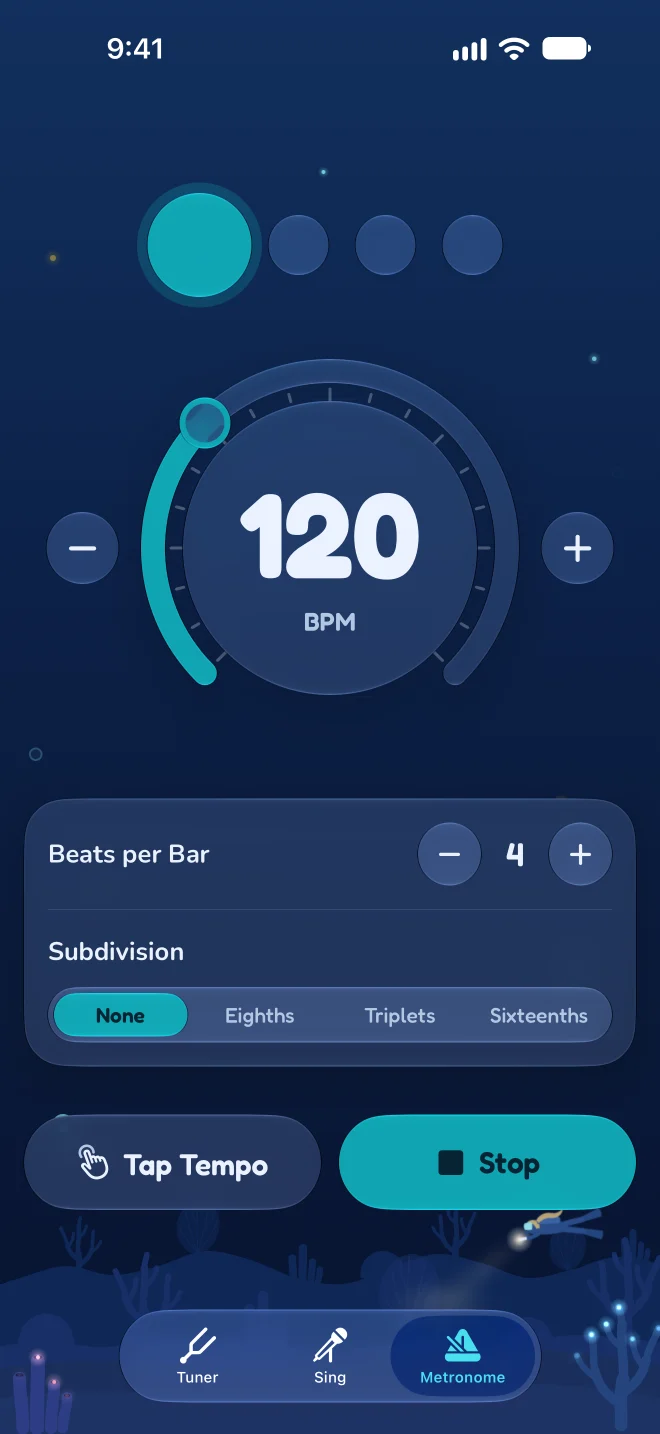
Dial in any Tempo from 30 to 300 BPM with the Tempo dial or Tap Tempo, and keep practicing while another app is in front or your phone is asleep.

  • 30 to 300 BPM: Drag the smooth Tempo dial or tap along with Tap Tempo to lock in the speed of a song.
  • Flexible bars and grooves: Pick 1 to 12 Beats per Bar, an Accent on beat one, and Subdivisions in eighths, triplets, or sixteenths.
  • Visual Pulse and background playback: Each beat lights up on screen, and the clicks keep playing in the background.
Tuna Metronome tab at 120 BPM showing the Tempo dial, 4 Beats per Bar, and Tap Tempo Tuna Metronome tab in Night Dive at 120 BPM showing the Tempo dial and lit beat Pulse

How it works

Open, play, and go

No sign-up wall, no subscription prompt, and no clutter between you and the first chord.

1

Pluck a string

Tuna opens right onto the Tuner tab in Guided Mode. Watch the tuna swim toward sharp or flat until it centres and glows gold In Tune.

2

Sing along on the trace

Tap Sing, play your starting note on the guitar, and sing into the Pitch Trace until the line lights up gold in the note's lane.

3

Set your Tempo

Switch to the Metronome tab, drag the Tempo dial or tap Tap Tempo, and let the click track keep playing even when your screen locks.

Easy on the eyes in a Night Dive

On a dark stage or during late-night practice, Tuna follows your iPhone or iPad into Dark Mode. The sunlit shallows turn deep midnight blue, coral tips glow, and the tuna shines gold when you hit the note.

Every iPad orientation Screen stays awake VoiceOver Announcements USB-C & Lightning interfaces
Tuna Strobe Display in Night Dive mode
Tuna Chromatic Mode in Night Dive naming C sharp 3
Tuna Sing tab Pitch Trace in Night Dive mode

Private by design

Nothing leaves your device

A tuner should just tune your guitar. Tuna uses no network, collects zero data, and is open source so anyone can verify how it works.

Audio stays in memory

Tuna listens only while the Tuner or Sing tab is on screen. What it hears is processed in memory and discarded, never recorded, stored, or sent.

No accounts, ads, or SDKs

Zero analytics, zero tracking, zero third-party code, and zero pop-ups asking you to rate or subscribe. App Store Privacy label: Data Not Collected.

Apache-2.0 open source

Every line of Tuna and its pitch detector is public on GitHub under the Apache License 2.0, built by Existential Birds.

Questions

Frequently asked questions

Is Tuna really free with no ads or subscriptions?

Yes. Tuna is completely free on the App Store with no subscriptions, no in-app purchases, no ads, and no accounts. Its source code is open under the Apache License 2.0.

Does Tuna record my guitar or voice?

No. Tuna listens only while the Tuner or Sing tab is on screen and in the foreground. Audio is processed in memory on your device and discarded immediately. Nothing is recorded, stored, or sent. Read the full Tuna Privacy Policy.

Which guitar tunings does Tuna support?

Tuna includes 14 Built-in Tunings for 6- and 7-string guitars, including Standard, Drop D, Half-step down, DADGAD, and Open G. You can also create, rename, edit, and delete Custom Tunings, or switch to Chromatic Mode to name the nearest note to any pitch.

Can I plug my electric guitar into my iPhone or iPad?

Yes. Tuna listens through whichever Active Input iOS routes to it, including the built-in microphone, a USB-C or Lightning audio interface, or a wired headset, and displays the active input name right on screen.

How does the Sing tab Pitch Trace work?

The Pitch Trace draws your voice over the last 5 seconds across a lane for each note so you can see where you slid into, wobbled on, or sagged off a pitch. The line turns gold wherever you are within 25 cents of the note.

Can I change the Reference Pitch from 440 Hz?

Yes. Open Settings on the Tuner tab to set the Reference Pitch anywhere from 430 to 450 Hz.

Does the Metronome keep playing when the screen is locked?

Yes. The Metronome runs from 30 to 300 BPM with Tap Tempo, 1 to 12 Beats per Bar, an Accent on the first beat, and eighths, triplets, or sixteenths Subdivisions, and keeps playing in the background with the screen locked or another app in front.

Does Tuna work on iPad and in Dark Mode?

Yes. Tuna runs natively on iPhone and iPad, supports every iPad orientation so it fits on a music stand, automatically shifts to Night Dive in Dark Mode, keeps the screen awake while listening, and supports VoiceOver Announcements on the Tuner tab.

Tuna mascot Tuna mascot in Night Dive

Ready to tune?

Download Tuna free on the App Store for iPhone and iPad. Works offline from the first pluck.